


- Canon EOS R6 Mark II Camera Body with Stop Motion Animation Firmware
- Camera Cover R-F-5
- Strap ER-EOSR6 Mark II
- Battery Charger LC-E6
- Battery Pack LP-E6NH
- Battery Pack Cover
- Shoe Cover
- Limited 1-Year Warranty
Trusted & Verified


Canon EOS R6 Mark II Camera Body with Stop Motion Animation Firmware
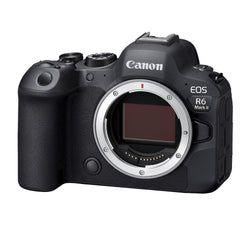
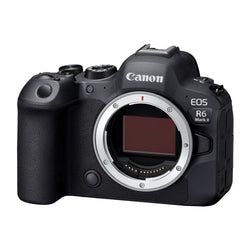
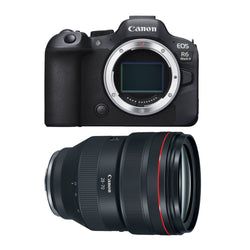
- 24.2MP full-frame CMOS sensor
- DIGIC X image processor with an ISO range of 100 to 102400
- RAW burst mode and pre-shooting capture up to 30 fps
- 3.0-inch, 1.62M dot Clear View LCD II Vari-angle touchscreen
- Built-in Wi-Fi and Bluetooth connectivity
- Continuous Full-HD video recording for up to 6 hours
- 6K oversampled uncropped 4K movies at up to 60 fps
- Features in-body image stabilizer for shake correction
- Automatic subject detection of people, animals, and vehicles
Get ready to create stop-motion animation films with the Canon EOS R6 Mark II Camera Body with Stop Motion Animation Firmware. The included pre-installed firmware enables features such as increased live view resolution, which allows the animator to confirm focus within a larger frame when utilized with compatible software such as Dragonframe.
Supercharge Your Stop-Motion Animation
Stop Motion Animation firmware increases your Live View resolution to 1920 x 1280 from Canon’s normal of 960 x 640 when connecting to compatible stop motion animation software, like Dragonframe. This makes it easy for animators to confirm focus and movement within every frame. Other features include Live View Manual Focus Peaking, Focus Position Memory, and Aperture Lock.
High Image Quality Featuring a 24.2 Megapixel Full-Frame CMOS Sensor
The EOS R6 Mark II features improved resolution compared to its predecessor. A Canon-developed 35mm full-frame CMOS sensor with approx. 24.2 effective megapixels enable the camera to capture sharp and detailed images, even in low-light scenarios. Regardless of conditions, whether day or night, indoor or outdoor, dark portions of the image, even at high ISO speeds and increased sensitivity, are rendered with low noise.
DIGIC X Image Processor
A powerful DIGIC X Image Processor enables high-performance operation and coordination of processes such as Dual Pixel CMOS AF II, Image Stabilization, image processing, and video functionality. The DIGIC X Image Processor helps ensure your photos and videos look sharp and maintain high resolution with minimal noise or grain.
High-Speed Continuous Shooting
For the first time among full-frame Canon EOS cameras, the EOS R6 Mark II introduces RAW Burst Mode at up to 30 fps. By turning on RAW Burst Mode’s pre-shooting, shooting can start slightly before (about 0.5 seconds earlier) the shutter button is fully pressed.
Blazing Fast Autofocus
The highly responsive Dual Pixel CMOS AF II system covers up to approximately 100 percent x 100 percent of the picture area, breaking the image into up to 1,053 automatically selected AF zones during Whole Area AF. The result is outstanding AF coverage, and the compositional freedom to focus sharply on a subject nearly anywhere in the frame.
Highly Accurate Subject Detection
Developed using Deep Learning Technology, horses, trains, and airplanes are newly detectable, in addition to conventional subjects like people, animals including dogs, cats, and birds, and vehicles - cars and motorcycles - especially in a motorsports environment.
Head, Face, and Eye Detection
Even in situations where many cameras may struggle to detect a subject, the EOS R6 Mark II can locate and focus upon a person’s head, face, or eye when the Subject Detection menu is set to People, allowing more ease of use, fast acquisition of your subject, and improvements to accuracy when capturing videos or still images.
Animal Detection
The EOS R6 Mark II can effectively track the whole body, face, or eye of cats, dogs, birds, and now horses, for speed and precision - regardless of the animal’s size, posture, or orientation of face.
Optimized for Video
With ample video recording features such as 6K oversampled uncropped 4K movie at up to 60 fps, Full-HD High-frame rate movie recording at up to 180 fps, and AF tracking, the EOS R6 Mark II can meet the needs of hobbyists and experienced video content creators alike.
Continuous Movie Recording That Exceeds 30 Minutes
The EOS R6 Mark II can continuously record Full-HD video for up to 6 hours, allowing you to set up your video and keep your project rolling without worrying about it stopping. You’ll also be able to continuously record Full-HD 179.82p up to 60 minutes or more, and 4K 59.94p up to 50 minutes or more.
Canon EOS R6 Mark II Camera Body with Stop Motion Animation Firmware
Type
| Type | Digital interchangeable lens, mirrorless camera |
| Recording media | 2 SD card slots |
|
|
| Compatible lenses | Canon RF lens group (including RF-S lenses). When using Mount Adapter EF-EOS R: Canon EF or EF-S lenses (excluding EF-M lenses) |
| Lens mount | Canon RF mount |
Image Sensor
| Type | Full-frame CMOS sensor (compatible with Dual Pixel CMOS AF) |
| Effective pixels | Approx. 24.2 megapixels |
| Screen size | Approx. 36.0 x 24.0 mm |
| Pixel unit | Approx. 6.00 µm square |
| Total pixels | Approx. 25.6 megapixels |
| Aspect ratio | 3:2 (horizontal:vertical) |
| Color filter system | RGB primary color filters |
| Low pass filter | Installed in front of the image sensor, non-detachable |
| Dust deletion feature |
|
Recording System
| Recording format | Compliant with the design rule for Camera File system 2.0 and Exif 2.31 (Supports time difference information in Exif 2.31) |
| Image format | JPEG, HEIF, RAW / C-RAW / Dual Pixel RAW/ RAW burst (CR3), C-RAW (Canon original); Movies: ALL-I (Time-lapse video only), IPB (MP4) |
| File size | At H+ Drive setting (12 fps), using Mechanical or 1st-curtain Electronic shutter. |
|
|
| File numbering (the following file numbers can be set) |
|
| Auto reset | When you replace the card, the numbering will be reset to start from 0001. If the new SD card already contains images, the numbering will continue from the last recorded image in the card. |
| Manual reset | Resets the file number to 0001, and creates a new folder automatically. |
| RAW + JPEG / HEIF simultaneous recording | Simultaneous recording of any combination of RAW/C-RAW and JPEG/HEIF image-recording quality is supported. |
| Color space | Selectable between sRGB and Adobe RGB |
| Picture style |
|
White Balance
| Settings |
|
| Auto white balance | Option between ambiance priority and white priority settings, using the SET button |
| White balance shift | Blue/amber bias: ±9 levels. Magenta/green bias: ±9 levels. Corrected in reference to the current WB modes color temperature. |
Viewfinder
| Type | OLED color electronic viewfinder; 0.5 inch, approx. 3.69 million dots |
| Coverage | Approx. 100% vertically and horizontally relative to the shooting image area (with image quality L, at approx. 23mm eyepoint). |
| Magnification or angle of view | Approx. 0.76x / Approx. 35.2 degrees (with 50mm lens at infinity, -1 m-1) |
| Eye point | Approx. 23mm (at -1 m-1 from the eyepiece lens end) |
| Dioptric adjustment range | Approx. -4.0 to + 2.0 m-1 (dpt) |
| Viewfinder information | |
|
Auto Focus
| Focus method | Dual Pixel CMOS AF |
| Number of AF zones available for automatic selection |
|
| Selectable positions for AF point | AF area: Horizontal: Approx. 90% x Vertical: Approx. 100% Stills: Max. 4897 positions (83 x 59) Movies: Max 4067 positions (83 x 49) |
| AF working range | EV -6.5 to 20 (f/1.2 lens except RF lenses with a Defocus Smoothing (DS) coating, center AF point, One-Shot AF, at 73-degree-F/23-degree-C, ISO 100). |
| Focusing brightness range (still photo shooting) | EV - 6.5 to 21 (with an f/1.2 lens Except RF lenses with a Defocus Smoothing (DS) coating, center AF point, One-Shot AF at room temperature, and ISO 100) |
| Focusing brightness range (in movie recording) |
|
| Available AF areas |
|
| Available subject detection | |
|
|
| Eye detection |
|
| Manual |
|
Exposure Control
| Metering modes |
|
| Metering range | EV -3 - 20 (at 73-degree-F/23-degree-C, ISO 100)(Still Photo Shooting) |
| Exposure modes | |
|
|
| ISO speed range | |
|
|
| Expanded ISO cannot be set for HDR mode or during HDR PQ shooting. | |
| ISO Auto range settings in still photo shooting | |
|
|
| AE Lock | |
|
|
| User-set AE lock. | |
|
Shutter
| Type | Electronically controlled focal-plane shutter |
|
|
| Shutter speeds | Mechanical / 1st-curtain Electronic shutter: 1/8000th sec to 30 seconds, in 1/3 or 1/2 step increments |
| Electronic shutter | 1/8000th sec to 30 seconds, in 1/3 or 1/2 step increments (1/16,000th possible, if user-set in Tv or M shooting modes) |
| X-sync Speed | |
| Mechanical shutter | 1/200 sec. Elec. 1st-curtain: 1/250 sec. |
| Shutter release | Soft-touch electromagnetic release |
| Self-timer | 10-sec. delay, 2-sec. delay |
Image Stabilization Mode
| Still photo IS | In-body IS operation can be selected when using a non-IS lens. |
|
External Speedlite
| Accessory shoe | Canon Multi-function accessory shoe Optional Canon AD-E1 adapter required for conventional shoe-mount flashes and accessories |
| E-TTL balance | Ambience priority, standard, flash priority |
| Flash exposure compensation | ±3 stops in 1/3- or 1/2-stop increments |
| Continuous flash control | E-TTL each shot / E-TTL 1st shot |
HDR Shooting
| HDR shooting | Disable/Enable |
| Continuous HDR shooting (still images) | 1 shot only/every shot |
Video Shooting
| Shooting times |
|
| File format |
|
| Estimated recording time, movie bit rate, and file size |
|
| Estimated Recording Time, Continued. | |
|
|
| Card performance requirements | |
| Video AF | Dual Pixel CMOS AF; Movie Servo AF available in AF Menu |
| Exposure compensation | ±3 stops in 1/3- or 1/2-stop increments |
| Time code | Yes (Count up, Start time setting, Movie recording count, Movie play count, HDMI time code on/off, HDMI rec. command on/off, Drop frame enable/disable) |
| Movie pre-recording (On/Off) | 3 or 5 seconds; user-selectable |
| Time-lapse Movie Setting | Interval 2 sec - 99:59:59; Number of frames 2 to 3,600; Movie recording size 4K/Full HD; Auto exposure fixed at the first frame/auto for each frame; Beep per frame recorded (volume setting 0/silent – 5) |
| Time-lapse Playback Frame Rate | 29.97 (set to NTSC); 25.00fps (set to PAL) |
LCD Screen
| Type | TFT color, liquid-crystal monitor |
| Monitor size | 3.0 inch (screen aspect ratio of 3:2) 2.95 inch (7.5 cm) diagonal (2.44 inch (6.2cm) width, 1.65 inch (4.2 cm) height)) |
| Dots | Approx. 1.62 million dots |
| Coverage | Approx. 100% vertically/horizontally |
| Brightness control | Manually adjustable to one of seven brightness levels |
| Touch-screen operation | |
| Supported for AF Point selection; Touch AF; Touch Shutter; Menu selection; Quick Control Menu; Magnified view | |
| Coating | Clear view LCD II |
|
|
| Interface languages | 29 (English, German, French, Dutch, Danish, Portuguese, Finnish, Italian, Ukraine, Norwegian, Swedish, Spanish, Greek, Russian, Polish, Czech, Hungarian, Vietnamese, Hindi, Romanian, Turkish, Arabic, Thai, Simplified/Traditional Chinese, Korean, Malay, Indonesian, Japanese) |
Playback
| Highlight alert | The white areas with no image data will blink. |
| Histogram | Brightness and RGB |
Quick Control Function
| Function | The Quick Control screen can be accessed by pressing the Quick Control button during shooting, recording, or playback. |
| Quick control screen | The following settings are available for the (Quick Control screen) during movie recording. |
|
Image Protection and Erase
| Protection |
|
| Erase | |
|
Direct Printing
| Compatible printer | Not supported |
DPOF Digital Print Order Format
| DPOF | Compliant with DPOF Version 1.1 |
WiFi
| Standards compliance | IEEE 802.11b/g/n/a/ac |
| Transmission method | DS-SS modulation (IEEE 802.11b) OFDM modulation (IEEE 802.11g/n/a/ac) |
| Transition Frequency (Central Frequency) | 2.4 GHz band Frequency: 2412 to 2462 MHz Channels: 1 to 11 channels 5.0 GHz band Frequency: 5180 to 5825 MHz Channels: 36 to 165 channels1 |
| Connection method |
|
| Communication with a Smartphone |
|
| Remote operation Using EOS Utility | The camera can be controlled via WiFi or USB, with Canon EOS Utility software installed in a compatible Mac or Windows computer. |
| Print from WiFi Printers | Not supported. |
| Send Images to a Web Service | image.canon: Video files (MP4) and JPEG, HEIF, RAW or C-RAW still images can be uploaded to image. canon servers. From image.canon, images can be sent to specific social media and 3rd-party cloud image services. |
Bluetooth
| Standards compliance | Bluetooth specification version 5.0 compliant (Bluetooth Low Energy technology) |
| Transmission method | GFSK modulation |
| Bluetooth pairing | Smartphone - up to 10 devices; BR-E1 remote controller - 1 unit |
Customization
| Available functions | Dial direction during Tv/Av; Control ring rotation direction; Customize buttons; Customize dials |
| Custom controls |
|
| My menu registration |
|
Interface
| USB terminal | Equivalent to SuperSpeed USB (USB 3.1 Gen 1) |
|
|
| HDMI Out Terminal | HDMI micro OUT terminal Type D (Resolution switches automatically) / CEC not compatible |
|
|
| Microphone terminal | 3.5mm diameter stereo mini jack |
| Headphone terminal | Compatible with 3.5mm diameter stereo mini-plug |
Power Source
| Battery | Canon LP-E6NH battery pack (also compatible with LP-E6N and LP-E6 battery packs) |
|
|
| Optional battery grip |
|
| Battery Check | Automatic battery check when the power switch is turned ON. Displayed in 5 levels in the viewfinder, and on the LCD screen. Battery info display in Set-up Menu |
|
|
| Start-up time |
|
Dimensions and Weight
| Dimensions (W x H x D) |
|
| Weight |
|
Operating Environment
| Working temperature range | 32 to 104-degree-F (0 to +40-degree-C) |
Working Conditions
| Working humidity | 85 percent or less |
Starting at $87.45/mo
Estimated over 24 months with Affirm, subject to eligibility and approval.
Flexible payment options available
Interest-free installments and monthly financing may be available through Shop Pay on eligible purchases.
Starting at $524.75
No interest if paid in full by the promotional terms. Minimum monthly payments required and subject to credit approval.
Shipping Policy
Orders of $25 or more qualify for free standard shipping on eligible items.
Most in-stock orders placed before 3PM EST Monday–Friday ship the same business day. View Shipping Policy
Free Local Pickup
Please call for store stock availability. Requests made before 2:30 PM EST can be available for next-day pickup. Learn more


Tab: Frequently Asked Questions
How do I return an item?
How do I return an item?
Returns are incredibly simple. Please log into your account, find your item you wish to return and follow the prompts to make a return. If you do not have an account, click here to find your order and make a return.
Will I receive a full refund when I return an item?
Will I receive a full refund when I return an item?
You will receive a full refund when you return an item in its original manufacturer’s packaging, undamaged and unmarked. If the item you are returning is priced at less than $35, you will be charged a 15% restocking fee. Please note you will not be refunded any shipping charges.
How many days do I have to make a return?
How many days do I have to make a return?
You have 30 days to make a return. During the holiday season, from November 1 to December 31, we extend the return window to 60 days.
My item was damaged in transit. How do I place a return?
My item was damaged in transit. How do I place a return?
If your order has been noticeably damaged in transit, we strongly recommend that you refuse delivery and notify us immediately. Claims for missing items or items damaged in transit must be made within 48 hours of delivery. If there is carrier damage, please contact support@focuscamera.com with your order number and a description of the damage.
There’s an issue with my order, what should I do?
There’s an issue with my order, what should I do?
Oh no! Please contact our customer service team so we can resolve the issue immediately. You can call us on 1.800.221.0828, email us at support@focuscamera.com, or send us a message here.
Can I exchange an item?
Can I exchange an item?
We do not currently offer exchanges. Please return the item you purchased within 30 days and order what you’d like instead.
If I ordered a kit, do I have to return all the items?
If I ordered a kit, do I have to return all the items?
If you ordered a kit, you must return all components and accessories to receive a full refund.
I ordered a product that included a free item. I’d like to return it, do I need to return the free item as well?
I ordered a product that included a free item. I’d like to return it, do I need to return the free item as well?
If you ordered a product that included a free item, you must include the free item with your return. If not, your return will not be accepted and you will not receive a full refund.
Do you offer repairs?
Do you offer repairs?
We currently only offer camera repairs at our Brooklyn store. The item must be dropped off and collected in person as we do not accept shipped items for repair. For more information, please call our Brooklyn store on 1.718.431.7900.
What is your return policy?
What is your return policy?
Most items can be returned within 30 days for a full refund. Click here to read our full return policy.


